
Google says its ranking systems are designed to prioritise helpful, reliable information created to benefit people, not content made to manipulate rankings. That sounds abstract, but Google backs it with a list of plain questions anyone can ask of their own pages. Here is how they apply to the pages that matter most for a service business: the ones describing what you do.
Write for the person deciding
Someone reading your “AC repair” or “couples counselling” page is usually trying to decide whether to contact you. Google’s people-first questions ask, in effect: would this page be useful to someone who came to you directly? For a service page, useful means answering what they actually want to know.
- What exactly you do, and what you don’t.
- Who it’s for, and where you work.
- How it works: the steps, the timescale, what the customer needs to do.
- What it costs, or at least how pricing works.
- Why trust you: licences, insurance, qualifications, real examples of work.
- How to get started, with a clear next step.
Key takeaway
If a customer usually asks it on the phone, it belongs on the service page.
Who, How and Why
Google suggests asking three questions of any content. Who created it should be self-evident. How it was made should be clear, including whether automation or AI was used. And why it exists should be to help people, not mainly to attract search visits.
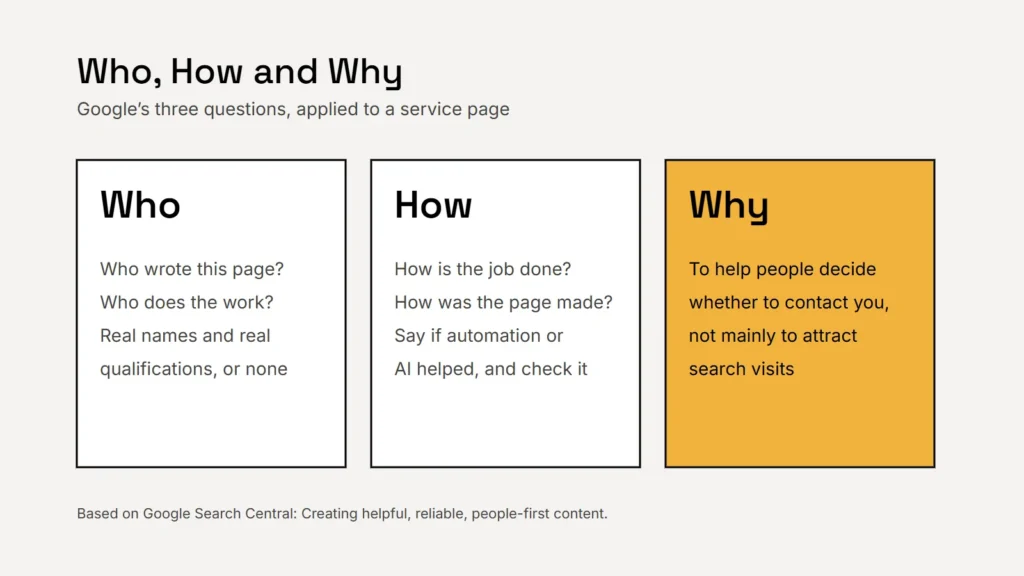
Google is blunt about faking the “who”: it calls fabricated creator profiles, such as made-up names, AI-generated headshots or false credentials, a form of deception. Name real people and real qualifications, or none.
What about AI?
Google’s position, from its 2023 guidance, is that appropriate use of AI or automation is not against its guidelines, but using it to generate content mainly to manipulate rankings breaks its spam policies. Its helpful content page adds that producing large amounts of AI text without manual oversight or curation represents little to no effort. If you use AI to help draft, check every fact and make the page genuinely yours.
Myths Google has answered
| Myth | What Google says |
|---|---|
| There’s an ideal word count | Content length alone doesn’t matter for ranking; there is no magical word count target |
| E-E-A-T is a ranking factor | No, it isn’t in itself, though trust is the most important part of it |
| The meta keywords tag helps | Google Search doesn’t use it |
| Keywords in the domain help a lot | They have hardly any effect beyond appearing in breadcrumbs |
One genuinely useful page beats twenty thin ones made for search.
The shortcut that backfires: city pages
A common tactic is to publish near-identical pages for every town you serve. Google’s spam policies describe doorway abuse, including pages targeted at specific regions or cities that funnel users to one page, and scaled content abuse, many pages generated mainly to manipulate rankings. Listing every city and region you want to rank for in a block of text is given as an example of keyword stuffing.
If you genuinely serve several areas, it’s better to have one strong page per service and a clear list of the areas you cover. Create a location page only when there is something real to say: a local office, staff, projects or conditions specific to that place.
The basics still matter
- A unique, descriptive title for every page. Google suggests putting your site name at the start or end, separated by a hyphen, colon or pipe.
- One clear main heading, then headings that break the page into sections.
- Descriptive link text, so people know where a link goes before they click.
- Readable URLs with useful words, such as
/services/ac-repair/.
Checklist
- Answer the questions customers really ask.
- Make it clear who wrote it and who does the work.
- Check every fact, whoever or whatever drafted it.
- One strong page per service; no copy-paste city pages.
- Unique titles, clear headings, descriptive links.
To see which searches your pages already appear for, use Google Search Console. For local visibility beyond your website, see our guide to local search for service businesses.
Sources
- Google Search Central: Creating helpful, reliable, people-first content
- Google Search Central Blog: Google Search’s guidance about AI-generated content (February 2023)
- Google Search Central: Spam policies for Google web search
- Google Search Central: SEO Starter Guide
- Google Search Central: Influencing your title links