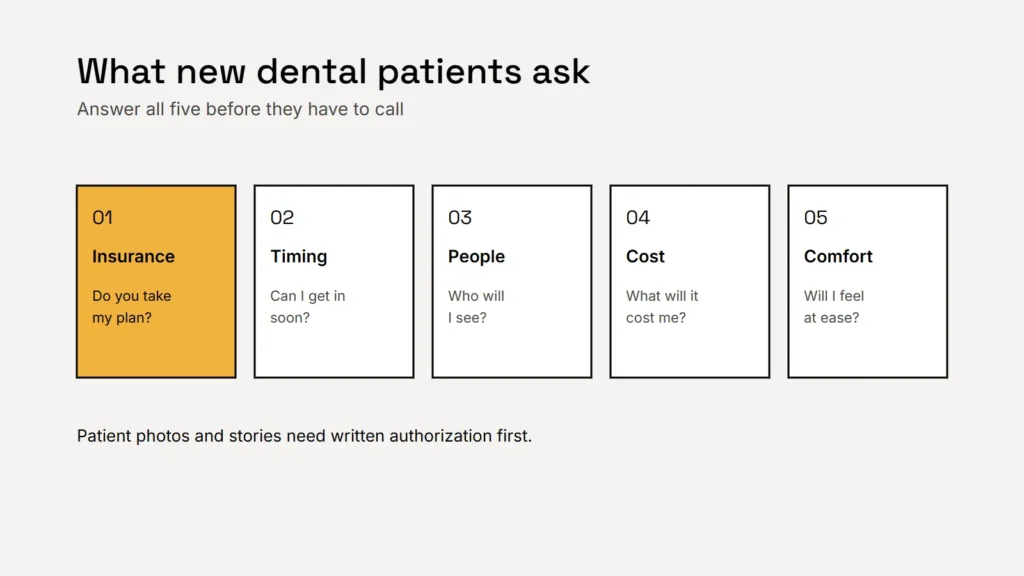
When someone moves to a new town, loses a dentist or has a tooth that suddenly hurts, they search, open two or three practice websites and pick one. The practice that answers their questions fastest usually gets the booking. Most of those questions are the same five.
Insurance and payment, answered plainly
“Do you take my insurance?” is often the first question, and many sites hide the answer. Put it where people look:
- The plans you’re in network with, listed by name and kept up to date. If you’re out of network, say what that means for the patient and whether you help with claims.
- Options for people without insurance, such as self pay prices for common visits or an in house membership plan, if you offer them.
- Financing, described simply. Payment examples in advertising can bring extra federal disclosure requirements, so check wording with your financing partner.
Key takeaway
Answer the insurance question before patients have to ask it.
Make booking easy
- A phone number patients can tap, and your hours, at the top of every page.
- Online booking or a short appointment request form, with a clear note on when you’ll confirm.
- A new patient page: what happens at the first visit, how long it takes, what to bring and any forms to complete beforehand.
- Clear guidance for dental emergencies, including what to do out of hours.
Introduce the people they’ll see
Patients, especially nervous ones, want to know who will be treating them. Show real photos of your dentists, hygienists and front desk team, with education, memberships and a short, human introduction. Comfort matters too: if you offer sedation options, longer appointments or a calm approach for anxious patients, say so.
Be precise with titles. The National Commission on Recognition of Dental Specialties and Certifying Boards recognizes 12 dental specialties, and state dental boards set rules on who may call themselves a specialist. A general dentist who places implants or straightens teeth can describe those services clearly without claiming a specialty. Check your state board’s advertising rules before you publish.
A new patient decides in minutes. Show them your insurance answer, your next opening and a friendly face.
Before and after photos, and reviews
Smile photos and patient stories are powerful, but they’re patient information. Under HIPAA, using a patient’s protected health information for marketing generally requires their written authorization (45 CFR 164.508). In practice:
- Get a signed authorization before you publish any patient photo, story or testimonial, and keep it on file.
- Show results honestly, without editing that changes the outcome.
- Use real reviews only. The FTC’s rule on consumer reviews bans fake reviews and incentives conditioned on a review being positive.
- When replying to reviews, never confirm that someone is a patient or mention their treatment.
Privacy on forms and tracking
Appointment requests and new patient forms can collect health information, so they need secure handling. Be careful with tracking tools and advertising pixels on pages where people describe symptoms or book care. Our guide to privacy, tracking and forms for health practices explains what to check. This is general information, not legal advice; ask your compliance adviser about your practice.
Checklist
- Insurance plans and payment options, stated clearly.
- Tap to call, hours and easy online booking.
- A new patient page.
- Real dentist and team profiles with accurate titles.
- Signed authorization for every patient photo or story.
- Forms and tracking reviewed for patient privacy.
Related service
Dental websites with new patient pages, online booking and privacy aware forms, built to help patients choose you.