A kitchen remodel, an addition or a new roof is one of the biggest purchases most people make. They rarely call the first contractor they find. They look at two or three websites, compare the work and shortlist the ones that feel safe. Your website’s job is to make the shortlist, and to bring in the jobs you actually want.
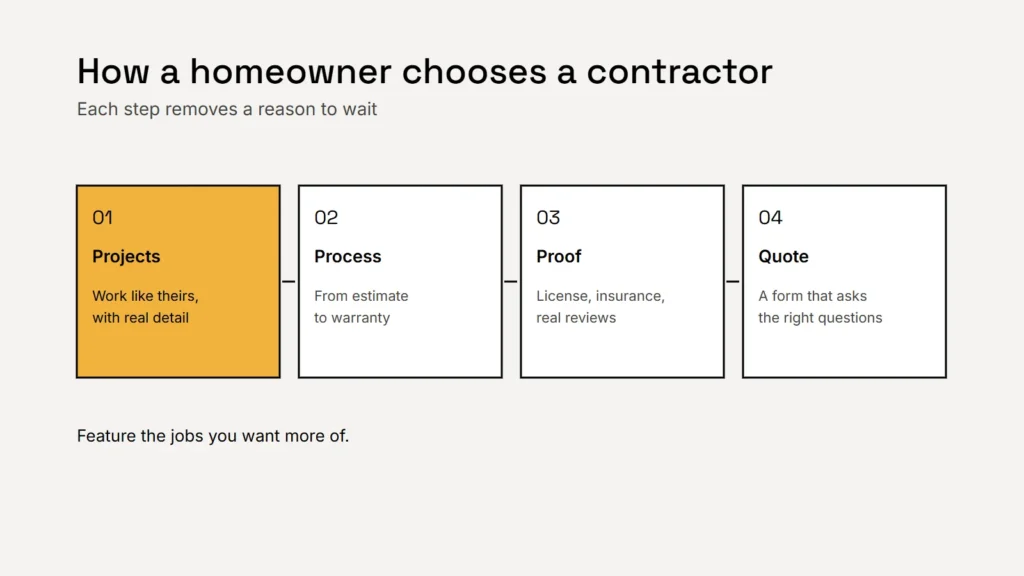
Projects that show real detail
A grid of nice photos helps, but a project page sells. For each strong job, show:
- Before, during and after photos, taken on your phone if needed. Real beats polished.
- What the client wanted and the problem you solved.
- The scope: what you did, the materials and roughly how long it took.
- The town or area, so local visitors see you work near them.
- A short quote from the client, with their permission.
Five detailed projects do more than fifty unlabeled photos. Ask clients before you name them or show their home.
Key takeaway
Show the kind of work you want more of. The projects you feature shape the enquiries you get.
Services and a clear process
Give each main service its own page: remodels, additions, roofing, decks, commercial fit outs or whatever you do best. Explain what’s included and who it suits. Then show your process in a few steps, from the first visit and estimate to permits, the build, the final walkthrough and the warranty. People fear the unknown in construction, so a clear process removes a reason to wait. See service pages that Google and clients find helpful.
License, insurance and warranty
- Your license number, where your state licenses your trade. Many states have rules on showing license numbers in advertising, so check your state’s licensing board.
- Insurance, stated accurately, with a note that you can share certificates on request.
- Your workmanship warranty, in plain words: what it covers and for how long. Keep it separate from manufacturer warranties.
- Real reviews. The FTC’s rule on consumer reviews bans fake reviews and incentives conditioned on a review being positive. See how to ask for reviews.
In construction, trust is the product. Every page should make you look like the safe choice.
Pricing guidance and a quote form that filters
You don’t need a price list, but visitors want a sense of scale. Typical ranges for common jobs, or your minimum project size, save everyone time and filter out jobs that aren’t a fit. Then use a quote form that asks the right questions:
- The type of project and the property address or zip code.
- Rough timing and budget range.
- Optional photos or plans.
- The best way and time to reach them.
If you offer financing, be careful with payment examples. Our HVAC website guide explains the federal disclosure rules that come with them.
Getting found locally
Keep your name, address and phone number identical on your website, Google Business Profile and directories. List the areas you serve on one clear page, and only add a page for a specific town where you have real projects and something local to say: Google’s spam policies treat copied town pages as doorway pages. Our local search guide explains more.
Checklist
- Detailed project pages with before and after photos.
- A page for each main service.
- A clear process from estimate to warranty.
- License, insurance and warranty stated accurately.
- Pricing guidance or a minimum project size.
- A quote form that asks the right questions.
- One clear service area page.
Related service
Construction and contractor websites with project galleries, service pages and quote requests that bring in the jobs you want.