A website is more than its pages. It sits on a domain, runs on hosting, sends email and is connected to tools such as analytics and booking systems. When all of that was set up by someone else, switching feels risky. The risk comes from doing things in the wrong order, so here is the right one.
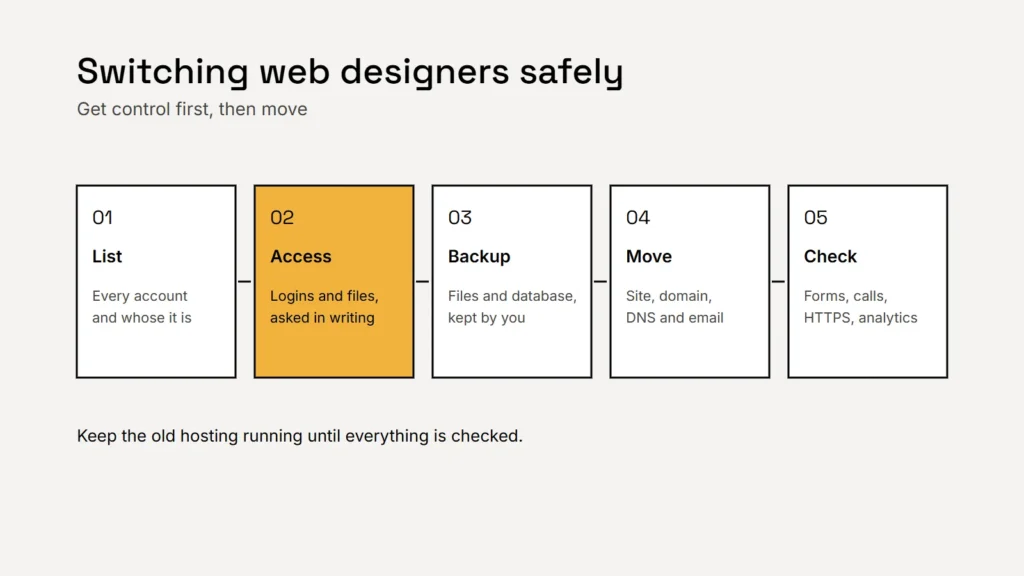
Step 1: list everything your website depends on
Before you contact anyone, write down every account involved and whose name it’s in.
| Account | What it controls | Whose name it should be in |
|---|---|---|
| Domain registrar | Your web address, and where your website and email point | Your business, with your own login |
| Hosting | Where the website files and database live | Your business, with your own login |
| Website admin | Editing pages, plugins and settings | An administrator account for you |
| Your business mailboxes | Your business | |
| Paid themes and plugins | Licenses that keep features updated | Ideally you; otherwise plan replacements |
| Google tools | Analytics, Search Console and Business Profile | You as owner, with the designer as a user |
Key takeaway
If an account is in your designer’s name, that’s the first thing to fix, while you’re still on good terms.
Step 2: get access, in writing
Ask your current designer, politely and by email, for administrator access to the website, the hosting and the domain, and for the files they made for you, such as your logo. Keep the request short and specific, and keep the replies. Check your contract too. Who owns the design and code depends on what you signed; our guide to who owns your logo, website and photos explains how US copyright handles commissioned work.
Step 3: take a full backup you keep yourself
A backup of a typical WordPress site has two parts: the files and the database. Download both, or ask for them, and store them somewhere you control. Export your page content and form entries if you can. If anything goes wrong later, this copy is your safety net.
Step 4: move your domain under the rules
For generic domains such as .com, ICANN’s Transfer Policy sets the rules registrars follow:
- You need an authorization code, often called an auth code, to move a domain to another registrar. If your registrar doesn’t let you generate it yourself, it must give it to you within five calendar days of your request.
- Some transfers can wait. A registrar may refuse a transfer within 60 days of the domain’s first registration or a previous transfer.
- Changing the owner adds a lock. After a change of registrant, the registrar must lock the domain against transfer to another registrar for 60 days, unless it offered you an opt out and you used it before the change.
Often you don’t need a registrar transfer at all. If the domain sits in your designer’s account, ask them to move it to an account in your name at the same registrar. That keeps the domain where it is and puts you in control. Our guide to owning your domain name covers the settings to switch on afterwards.
Get control first, and move second. Most website disasters come from doing it the other way round.
Step 5: move the website without breaking email
- Set up the site on the new hosting and test it on a temporary address before anything goes live.
- Copy every DNS record before you change anything, including the mail records and the SPF, DKIM and DMARC records your email depends on, and any verification records.
- Switch over at a quiet time, and keep the old hosting running until you’ve confirmed everything works.
- If any page addresses change, redirect the old addresses to the new ones. Google’s guide to site moves explains how.
After the switch: check these
Checklist
- Every page loads, on a phone and a computer.
- HTTPS works with no warnings.
- Every contact form reaches your inbox.
- Call buttons dial the right number.
- Email sends and arrives.
- Analytics and Search Console still record data.
- All accounts are in your name, and old access is removed.
If your designer has stopped responding and the domain is registered to your business, your registrar can usually help you regain access once you prove who you are. If it was registered in someone else’s name, you may need their cooperation or legal advice, which is why fixing ownership early matters so much.
Related service
We check your current site, its software, hosting and backups first, then look after updates, security and changes each month, with every account kept in your name.